AI Access Control: Identity, Permissions, and Approvals for Agents
A practical guide to controlling what AI models, agents, users, and automations can access, change, and approve across business systems.
On this page
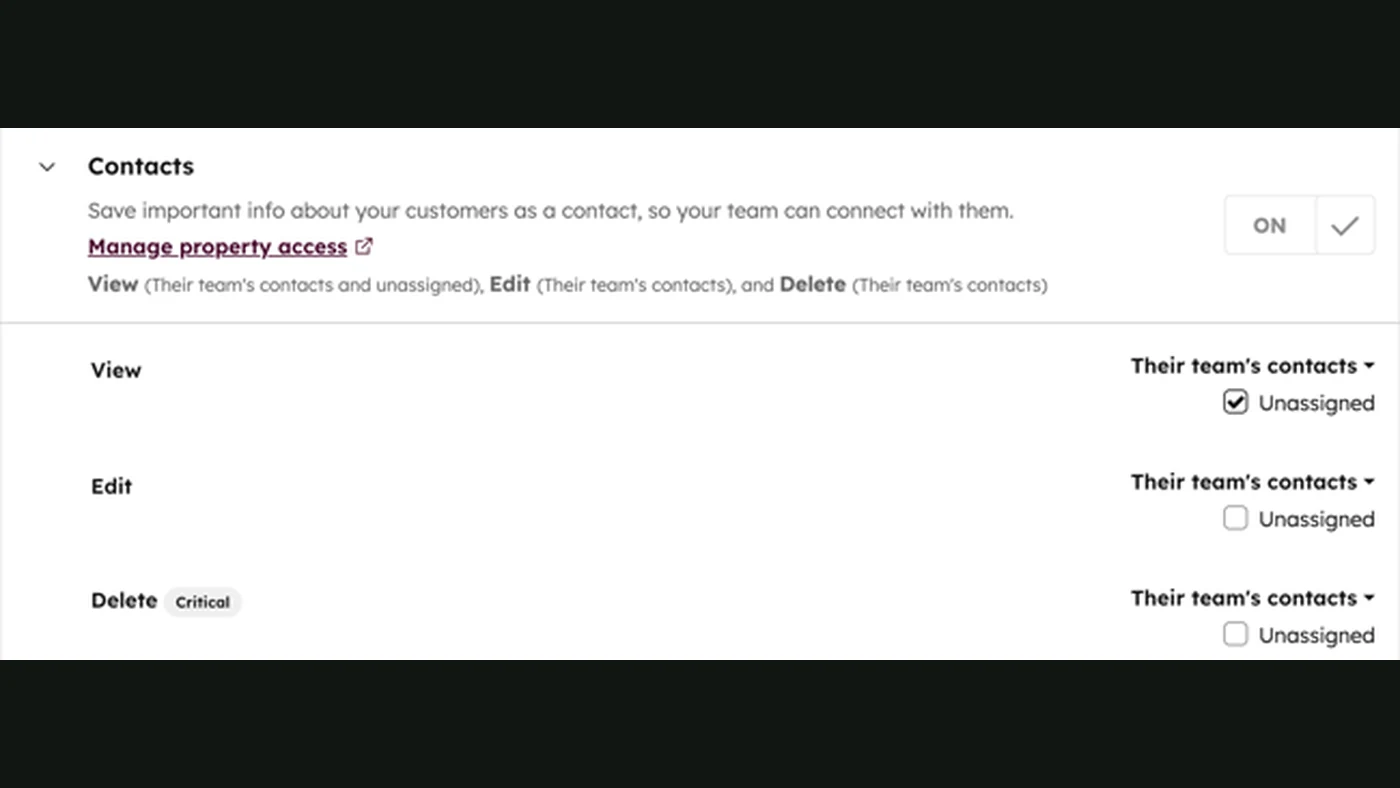
AI access control is the system that determines which users, models, agents, and automated workflows may access which data or tools, under what conditions, and with what approval requirements. It is used to stop an AI assistant from reading records it should not see, calling tools it should not use, or making high-impact changes without authorization. For example, a support agent might read a customer’s open tickets and draft a reply, while permission to issue a refund remains restricted to a separate tool and requires human approval.
That distinction matters because an AI model can generate an instruction, but it should not become the authority that decides whether the instruction is allowed.
What AI access control covers
Traditional access control normally governs people and applications. AI systems add more actors and more ambiguous execution paths:
- Human users: employees, customers, administrators, or contractors.
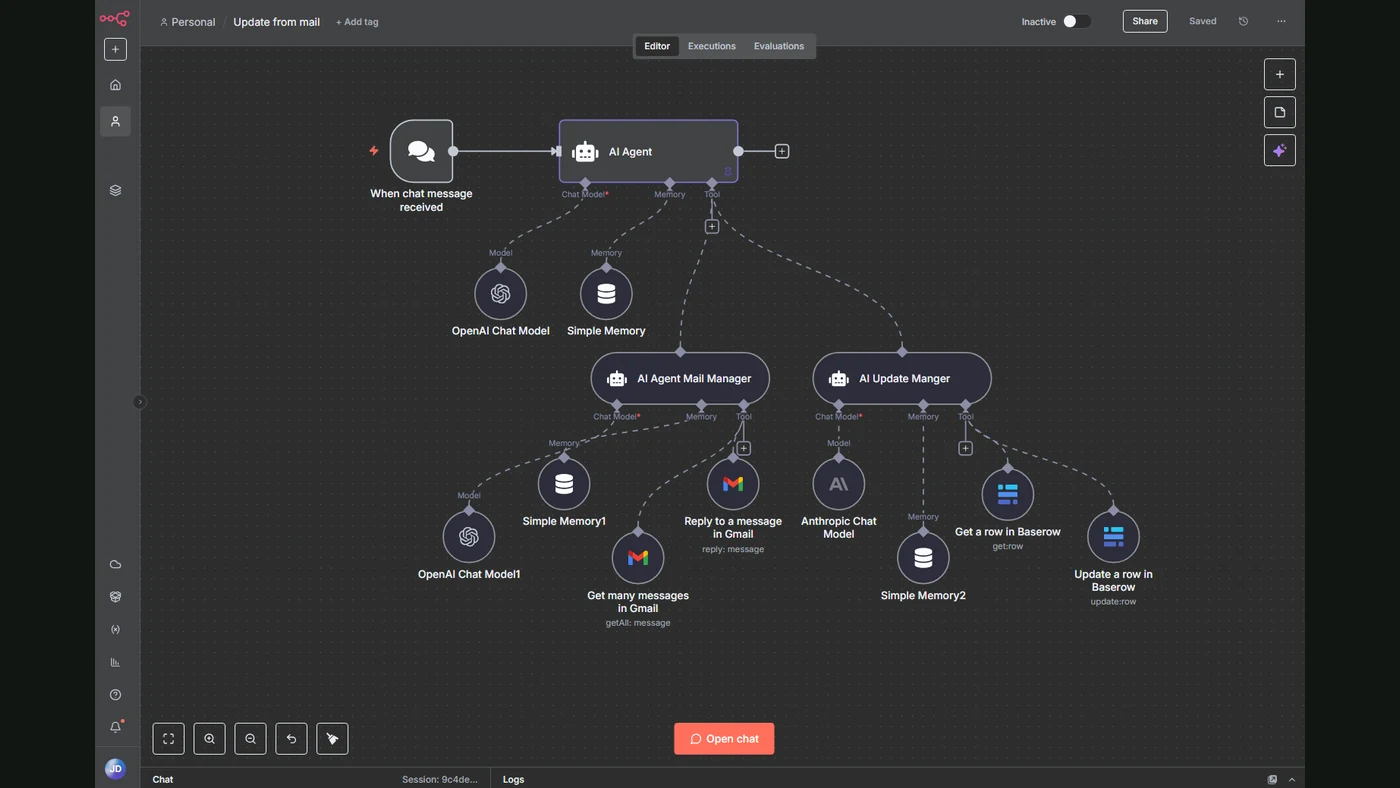
- AI agents: software that can select tools, retrieve information, and execute steps.
- Models: hosted or self-managed models that generate text, code, classifications, or tool calls.
- Workloads: background jobs, webhooks, scheduled automations, and orchestration services.
- Tools and data: CRM records, email, cloud storage, databases, ticketing systems, payment systems, and internal knowledge bases.
- Approvals: explicit checkpoints for actions that are sensitive, irreversible, regulated, or financially material.
NIST’s 2026 concept paper on software and AI agent identity and authorization highlights identification, authorization, auditing, non-repudiation, and prompt-injection mitigation as distinct concerns. In practice, this means an agent needs a governed identity and a traceable authority model—not just an API key hidden in an environment variable.
The model proposes an action. A separate authorization layer decides whether that action is permitted.
The four layers of a workable control model
1. Authenticate the actor
Authentication answers: Who or what is making this request?
A user may sign in through an identity provider. A background workflow may use a workload identity, service principal, or managed identity. An AI agent may need its own identity so administrators can distinguish actions taken by one agent from actions taken by another.
Microsoft recommends managed identities for supported Azure-hosted workloads because applications can obtain tokens without developers storing credentials in code. For workloads outside those conditions, service principals or other workload identity patterns may be appropriate.
Do not treat a model name, prompt, or conversation identifier as proof of identity. Those values can describe a request, but they do not authenticate the requester.
2. Authorize the requested operation
Authorization answers: Is this actor allowed to perform this operation on this resource?
Useful permissions should be expressed as narrow actions rather than broad system access. For example:
| Risk level | Example tool permission | Typical control |
|---|---|---|
| Low | Search approved product documentation | Allow automatically |
| Moderate | Read a customer’s open support tickets | Enforce user or account scope |
| High | Update a CRM opportunity or send an external email | Validate fields and log decision |
| Critical | Issue a refund, delete records, or change production infrastructure | Require approval or dual control |
Cloud IAM systems commonly support identity-based policies, resource-based policies, actions, resources, and conditions. Amazon Bedrock, for example, documents support for these IAM features, including temporary credentials and policy condition keys.
3. Constrain the tool itself
An agent should not receive a single credential that grants unrestricted access to an entire platform. Expose separate tools with explicit schemas and permissions:
search_customer_ticketsread_customer_profiledraft_support_replysend_support_replyissue_refund
The first three may be available to an agent under defined conditions. The final two may require additional policy checks or approval. Tool-level separation makes access easier to review, revoke, test, and audit.
4. Preserve evidence
Every meaningful action should produce an audit record containing, where appropriate:
- requesting user or triggering workflow;
- agent and version;
- tool invoked;
- resource accessed or changed;
- policy decision;
- approval identity and timestamp;
- result, error, or refusal;
- correlation ID linking related steps.
Logs should record enough context to investigate an incident without unnecessarily copying sensitive prompts or customer data into a second uncontrolled system.
Delegated access versus app-only access
One of the most important design choices is whether the agent acts on behalf of a user or as a background application.
Use when a signed-in user asks the agent to work with data that should remain limited to that user’s permissions. The downstream system can enforce user-level authorization.
Use for background jobs and service workflows that must operate without a signed-in person. Define the smallest application permission set and add explicit business rules.
For example, an internal knowledge assistant answering an employee’s question may use delegated access so it respects that employee’s document permissions. A nightly monitoring workflow may use app-only access to read selected telemetry, but it should not automatically inherit administrator access merely because it runs in the same cloud account.
Microsoft’s guidance specifically warns against using a backend identity to bypass user permissions when delegated access is the intended model.
How to set up AI access control
Step 1: Inventory every identity and capability
Create a register of users, agents, workflows, models, tools, data stores, secrets, and environments. Mark which capabilities read, write, delete, send, approve, or provision.
Step 2: Separate environments
Keep development, staging, and production identities and credentials separate. An agent tested against sample data should not automatically have production write access.
Step 3: Define a permission matrix
For every tool, document:
- allowed actor;
- allowed resource scope;
- permitted fields or operations;
- environmental conditions;
- approval requirement;
- logging requirement;
- expiry or review date.
Step 4: Prefer short-lived, managed credentials
Use managed identities, workload identity federation, temporary credentials, or a secrets manager where supported. Avoid putting long-lived keys in prompts, source code, spreadsheets, or workflow configuration.
Step 5: Add policy checks before execution
The policy layer should inspect the actor, user context, tool, target resource, requested operation, data classification, and risk level. It should deny by default when the request is ambiguous or the required context is missing.
Step 6: Test refusal paths
Test more than successful requests. Verify that the system refuses cross-tenant reads, unauthorized exports, destructive actions, privilege escalation, prompt-injected instructions, expired approvals, and attempts to call tools outside the agent’s declared scope.
Step 7: Monitor and review continuously
Access control is not finished at launch. Review new tools, changed permissions, agent updates, identity assignments, failed authorization attempts, and unusual access patterns. This complements the observability practices described in AI Infrastructure Monitoring and the reliability controls in AI System Maintenance.
Common failure modes
| Failure mode | Why it happens | Better control |
|---|---|---|
| One shared API key for every agent | Fast initial integration | Separate workload identities and scopes |
| The agent inherits administrator permissions | Convenient service setup | Dedicated role with least privilege |
| User permissions disappear behind a backend service | App-only access used by default | Preserve delegated identity where user ownership matters |
| Read and write operations share one tool | Tool design is too broad | Split tools and permissions by action |
| Approval is only a message in the prompt | Approval is not enforced technically | Bind approval to an action, resource, expiry, and approver |
| Logs contain prompts but not policy decisions | Observability focuses on model output | Log authorization inputs, decisions, and outcomes |
| A policy change breaks an important workflow | Permissions are changed without regression tests | Use policy tests, staged rollout, and rollback |
Prompt injection is particularly important for agents that retrieve untrusted content. Instructions found in an email, web page, ticket, or uploaded document should be treated as data, not as authorization to access another system. The agent must not gain new authority because retrieved text tells it to do so.
Cost drivers and operational trade-offs
AI access control has no single fixed price. The main cost drivers are:
- identity-provider and cloud IAM licensing;
- policy-engine implementation and maintenance;
- secrets management and key rotation;
- audit-log storage and retention;
- integration work across CRM, ticketing, databases, and cloud platforms;
- security review and recurring access certification;
- approval interfaces and exception handling;
- testing for policy regressions and agent behavior changes.
Managed identities can reduce credential-management work, but they do not remove the need to design authorization. A valid token proves that a workload is authenticated; it does not automatically prove that the workload should be allowed to read or change a particular record.
When AI access control is suitable
It is especially important when an AI system can access:
- personal or confidential information;
- customer, employee, financial, or healthcare records;
- production infrastructure;
- external communication channels;
- money movement or commercial approvals;
- systems shared across tenants, departments, or clients;
- tools that delete, publish, provision, or change records.
A simple read-only assistant over non-sensitive public information may need only basic authentication and logging. An agent that updates a CRM, sends customer communications, or operates cloud infrastructure needs identity separation, least-privilege tools, policy enforcement, approval handling, and continuous monitoring.
What FollowAI can build
FollowAI can design, code, connect, launch, operate, monitor, and improve an AI access-control system around your actual agents and business applications. The implementation can include:
- a governed identity model for users, agents, services, and environments;
- delegated and app-only access flows where each is appropriate;
- least-privilege tool permissions across CRM, support, finance, storage, and internal systems;
- policy checks for data scope, action type, tenant, environment, and risk;
- approval queues for refunds, external messages, production changes, and other sensitive actions;
- managed identity, service-principal, or secrets-manager integration;
- centralized audit events connected to infrastructure and workflow monitoring;
- automated access reviews, failed-policy alerts, and permission regression tests;
- controlled deployment and rollback for policy and agent changes.
Continuous workflow steps can include token acquisition, policy evaluation, tool-level authorization, logging, alerting, and access-review reminders. Human approval can remain required for irreversible or high-impact actions. FollowAI can connect the complete system rather than leaving identity design, application development, CRM integration, and operations split between separate contractors.
For related integration patterns, see API Integration Services and Corporate AI Knowledge Base.
Continue through the Knowledge architecture
- Custom CRM Development for Real Business Processes
- Corporate AI Knowledge Base: Governed Answers from Company Sources
- AI Customer Support Automation: Answers, Actions, and Human Handoff
Sources
- NIST: Software and AI Agent Identity and Authorization Concept PaperPrimary source
- Microsoft: Access patterns and controls for AI agentsOfficial documentation
- Microsoft: Securing managed identities in Microsoft Entra IDOfficial documentation
- AWS: How Amazon Bedrock works with IAMOfficial documentation
Keep your existing software and AI infrastructure secure, observable, and running
FollowAI can design, code, connect, launch, and operate the complete ai operations system around your workflow.