How to Give an AI Agent HubSpot Access Without Giving It Admin Rights
A permission design guide for HubSpot AI workflows: scopes, read/write separation, approval gates, secrets, and audit evidence.
On this page
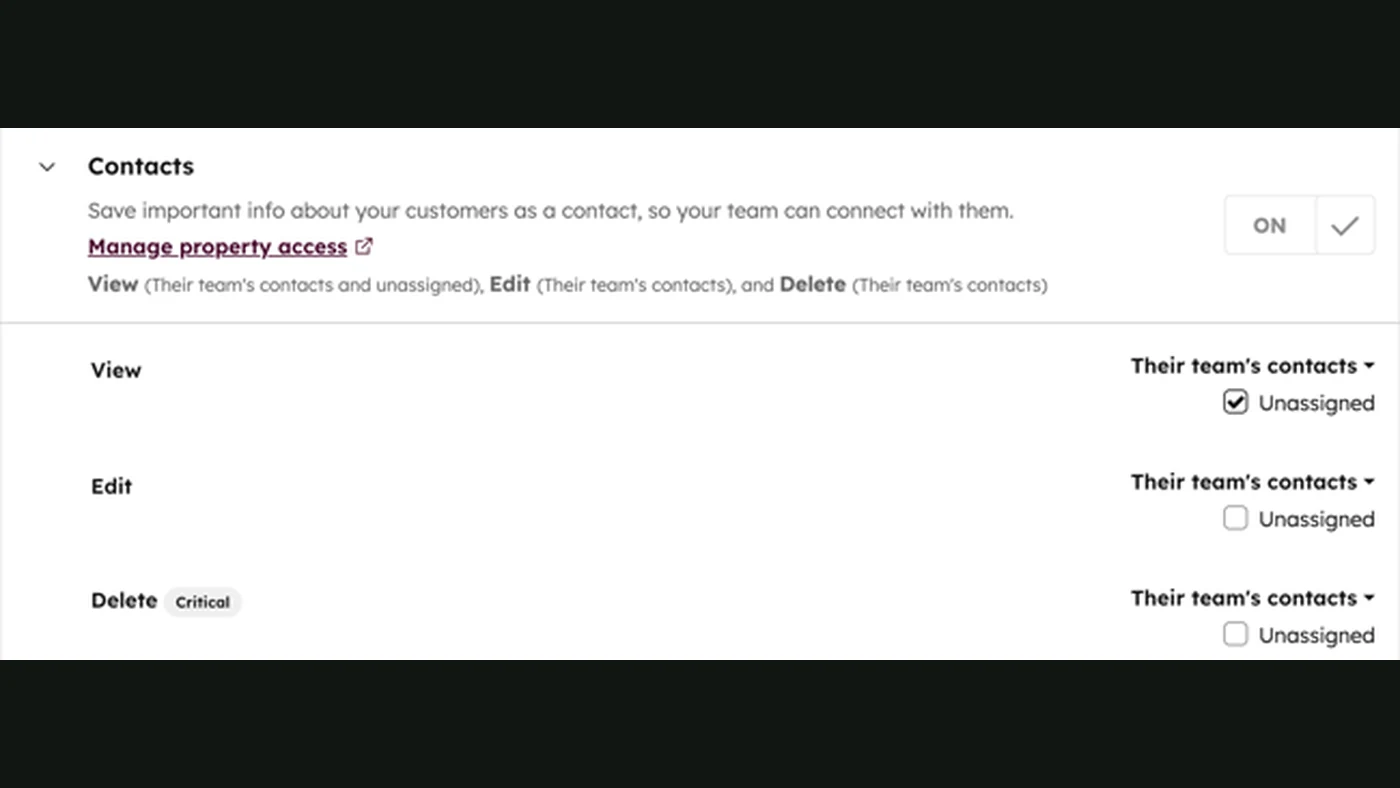
An AI agent connected to HubSpot does not need to be an administrator. It usually needs a narrow set of reads, a few carefully defined writes, and a human approval path for anything that changes a customer relationship. The practical goal is simple: the agent can do its assigned job, but a prompt cannot turn it into an unrestricted CRM operator.
This guide uses HubSpot as the example because its API exposes separate scopes and object operations. The same design principle applies to other CRMs.
Start with the job, not the token
Write one sentence: “The agent reads new inbound leads, classifies fit, creates a review task, and never sends first-touch messages.” Then map each verb to a system permission. If the sentence contains “do anything needed,” it is not a permission design.
| Agent task | Likely access | Human boundary |
|---|---|---|
| Read a new lead | Read the specific contact and company properties | Do not expose unrelated records |
| Prepare qualification | Read context; write a private note or draft object | Review the reason and evidence |
| Assign an owner | Write a task or owner field | Validate routing rules and duplicates |
| Send an external message | Messaging scope or a separate send service | Approval, consent, and content policy |
| Change deal stage | Deal write scope | Require evidence and an idempotency key |
| Delete or merge records | Usually deny | Keep as an explicit human-only action |
HubSpot documents scopes for app access, and its API model separates CRM objects and operations. Use those boundaries as the starting point, then add a workflow-level policy because an API scope alone cannot express “only leads from this campaign.”
OAuth, private apps, and the runtime boundary
Choose the authentication model that matches ownership and deployment. OAuth is appropriate when another HubSpot account authorizes an app. A private app can be simpler for one controlled portal, but its token still belongs on the server, not in an n8n expression visible to every editor or in a browser bundle.
Keep secrets in the runtime secret store. The model receives a tool name and validated arguments, never a raw access token. The connector checks the user or service identity, allowed object, property list, and record ownership before it calls HubSpot.
Make every write explicit
Do not give the model a generic “call HubSpot” function. Expose narrow actions such as:
create_review_task(contact_id, reason, evidence_ids)
append_qualification_note(contact_id, decision, confidence, evidence_ids)
propose_stage_change(deal_id, target_stage, reason)
The server should reject missing evidence, unknown IDs, disallowed stages, and requests outside the workflow’s scope. propose_stage_change is safer than change_stage when a salesperson must approve the transition.
Reason and propose
- Return a schema-valid decision
- Include evidence IDs and confidence
Validate and write
- Call the minimum CRM operation
- Record actor, tool, result, and timestamp
Plan for limits and retries
HubSpot API usage limits are part of the system design. Batch reads where appropriate, cache non-sensitive reference data, cap concurrency, and back off on transient errors. A retry must not create a duplicate task or note. Persist a stable idempotency key before the write and check the provider result before trying again.
Keep a dead-letter queue for failures. It should show the record, attempted operation, reason, last provider response, and the person responsible for replay. A red error log without ownership is not an operational control.
Audit what happened
For every tool call, record the workflow run, actor, model or prompt version, input reference, requested operation, approval, destination record, provider response, and timestamp. Minimize personal data in the audit record and define retention. The purpose is not to store every token; it is to answer “why did this record change?”
Review the permissions when the workflow changes. A new field, channel, or automated message can change the risk even if the code diff is small.
A practical rollout order
- Read-only contact and company lookup.
- Draft a qualification note in a private review queue.
- Create internal tasks with an owner and idempotency key.
- Propose, but do not apply, stage changes.
- Approve one narrow write path with a visible audit trail.
- Keep deletion, merging, pricing, contracts, and external commitments human-only.
This sequence gives the team evidence before it grants authority. It also makes rollback understandable.
Permission review checklist
Before launch, name the HubSpot account, app owner, runtime secret location, allowed objects, allowed properties, and human approver. Test a permitted read, a permitted proposed write, a missing-evidence request, an out-of-scope record, a duplicate retry, and a revoked credential. For each case, capture the expected log entry and the person who owns the next step. Review the list whenever a new field, pipeline, campaign, or external channel is connected. This is the difference between an agent that merely has an API token and a system the business can explain, audit, and safely change. The same checklist also exposes when a simpler deterministic workflow is enough and an AI decision is unnecessary.
Related reading
Continue with AI access control, identity, permissions, and approvals, AI agents vs. workflows, and AI sales automation.
Sources
- HubSpot OAuth scopesOfficial documentation
- HubSpot private apps overviewOfficial documentation
- HubSpot API usage detailsOfficial documentation
- OpenAI function calling guideOfficial documentation