AI Email Triage for Construction Inquiries: From Request to Routed Quote
A practical design for sorting construction inquiries, extracting project details, routing requests, and keeping a human approval step.

On this page
A construction company can lose a valuable inquiry before anyone decides whether it is a fit. Requests arrive as emails, attachments, forwarded threads, and short messages such as “Can you quote this job?” An AI triage workflow can read the approved inbox, extract the details that estimators need, label urgency, and route the request with the original evidence attached. It should prepare work for the team, not estimate a price or promise a start date by itself.
This is an illustrative operating model, not a named FollowAI client case. The right fields and approval rules depend on the contractor, trade, geography, and project type.
What the agent should extract
Start with the fields that change the next human action:
| Field | Example | If missing |
|---|---|---|
| Project location | City, ZIP, or site address | Ask for location or route to review |
| Work type | Roofing, electrical, renovation, or unknown | Assign to an intake owner |
| Timing | Emergency, this month, planning stage | Mark urgency as unknown |
| Scope | Plain-language request and quantities | Keep the source message visible |
| Attachments | Plans, photos, specifications | Link files; never claim they were read if extraction failed |
| Contact path | Sender, phone, preferred channel | Create a follow-up task |
The result should preserve the original email and a confidence or missing-information list. An estimator needs to see the source, not only an AI summary.
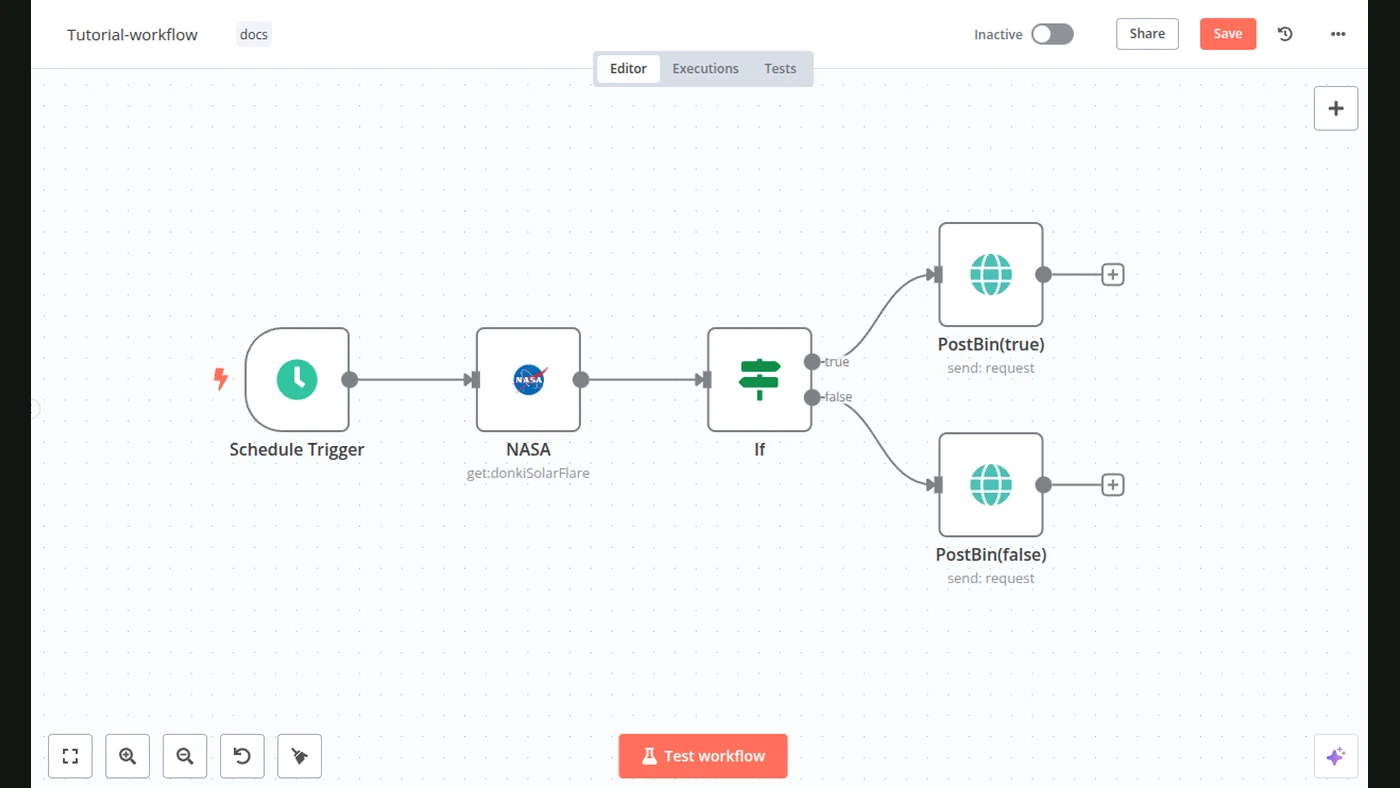
The workflow in practice
1. Watch one approved inbox
Use Gmail API access for a dedicated mailbox or label. Avoid scanning personal inboxes by default. The trigger should identify a message ID and thread ID so a retry does not create a second inquiry.
2. Separate new work from noise
Rules can ignore newsletters, automated receipts, duplicate forwards, known vendors, and messages already tagged as processed. A model can classify ambiguous messages, but the workflow should record why it chose “new inquiry,” “existing customer,” “vendor,” or “unclear.”
3. Extract into a small schema
Use a fixed structure rather than asking for a free-form summary:
{
  "request_type": "new_project",
  "trade": "unknown",
  "location": null,
  "timing": "this_month",
  "scope_summary": "Customer asks for a renovation quote and attached photos.",
  "missing_fields": ["location", "trade"],
  "urgency": "normal",
  "confidence": 0.71,
  "needs_human_review": true
}
The workflow must be able to represent unknown. A blank field is safer than a guessed ZIP code, trade, or deadline.
4. Validate against business rules
Check service territory, emergency language, attachment type, and duplicate customer identity. Route safety-sensitive, legal, or unusually large projects to a named person. Do not let the model decide whether a structure is safe or whether a quote is commercially binding.
5. Create the next action
The system can create a task, add a label, store a structured note, and prepare one or two missing-information questions. The estimator or owner sends the final message. If the company uses a CRM, keep the source message ID and the workflow run ID with the record.
Project inquiry: Use the secure FollowAI inquiry form below to describe this workflow. It sends your details through the protected FollowAI lead route; do not include secrets or customer data.
What to measure after launch
Measure time from receipt to owner assignment, percentage of messages classified correctly, missing-field rate, duplicate rate, attachment extraction failures, and time spent by estimators correcting the queue. A rising correction rate usually means the schema or business rules need work; it is not a reason to increase model autonomy.
Security and privacy boundaries
Use a dedicated mailbox, least-privileged OAuth scopes, retention rules, and a clear policy for attachments. Keep credentials out of prompts and logs. If the workflow sends data to a model provider, document which fields are included and how long operational logs remain. Email triage is useful only when the team can explain what the system is allowed to read and where the output goes.
When this pattern is a good fit
It fits a business with repeated inbound requests, a defined service area, and someone who owns the estimator queue. It is not a substitute for a qualified estimator, a safety review, a site visit, or a binding quote. The first version should usually classify and prepare rather than auto-reply to every message.
The practical test is simple: can an estimator see the original message, the extracted fields, the routing reason, and the next action without opening several disconnected systems? If not, the workflow needs a clearer handoff before it needs more autonomy.
A safe first release
Start with one mailbox label and one trade instead of connecting every source at once. For the first week, let the workflow create a review queue without sending customer messages or changing a CRM stage. Sample the queue with an estimator each day: compare the extracted scope with the original email, note which fields are routinely missing, and record false “new project” classifications. Then adjust the schema and routing rules before adding another trade. This small operating loop gives the team evidence about real inbox variation and makes the approval boundary visible. Once the queue is dependable, FollowAI can connect the same controlled intake to the CRM, task assignment, and a draft-reply view while keeping quote commitments with a person.
Related reading
See AI sales automation, intelligent document processing, and AI access control.
Want FollowAI to build this for your business?
Tell us which tools, spreadsheets, and manual handoffs currently run your operations.
Describe your goal in our project assistant. It will clarify the result and the service you want, then offer a project discussion with the FollowAI team.
Discuss my projectShare contact details when you want the team to follow up. Scope and pricing are confirmed by the team.
Or email hello@followai.proChat with the team on WhatsAppSources
- Gmail API guideOfficial documentation
- Gmail messages API referenceOfficial documentation
- n8n Gmail node documentationOfficial documentation
- OpenAI Structured Outputs guideOfficial documentation