Email FollowAI
8 min read8 topics

Codex vs. Claude Code vs. Hermes Agent: A Hands-On Interface Comparison

See how Codex, Claude Code, and Hermes Agent actually look and work in the terminal, with real screenshots and a practical selection guide.

AI AgentsAI ModelsWorkflow AutomationAI SecurityOpenAI CodexClaude CodeHermes Agent
Evidence levelHands-on test
Last reviewedAug 17, 2026

Codex, Claude Code, and Hermes Agent can all inspect files, use a terminal, and work through multi-step tasks. The practical difference is the operating experience around the model: how the agent sees your workspace, asks for permission, exposes its tools, remembers context, and fits into a repeatable workflow.

We ran all three interfaces locally and captured the sessions below. This is not a benchmark of model intelligence. It is a field guide to what a person or team actually sees when opening each tool and deciding where it belongs.

One naming correction matters: the original brief called the second tool “Cloud Code.” The product shown in the screenshot is Claude Code by Anthropic, not Google Cloud Code or Gemini Code Assist.

FollowAI test bench / three live interfaces The model matters, but the agent harness determines how work reaches your files and tools
01 / Codex 02 / Claude Code 03 / Hermes Agent
OpenAI Codex CLI LOCAL WORKSPACE
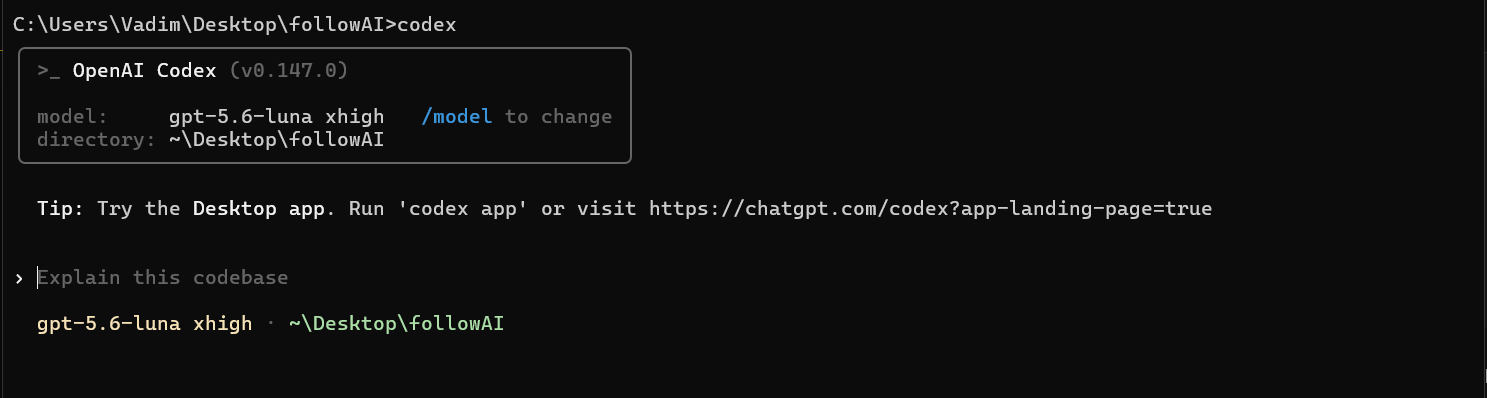
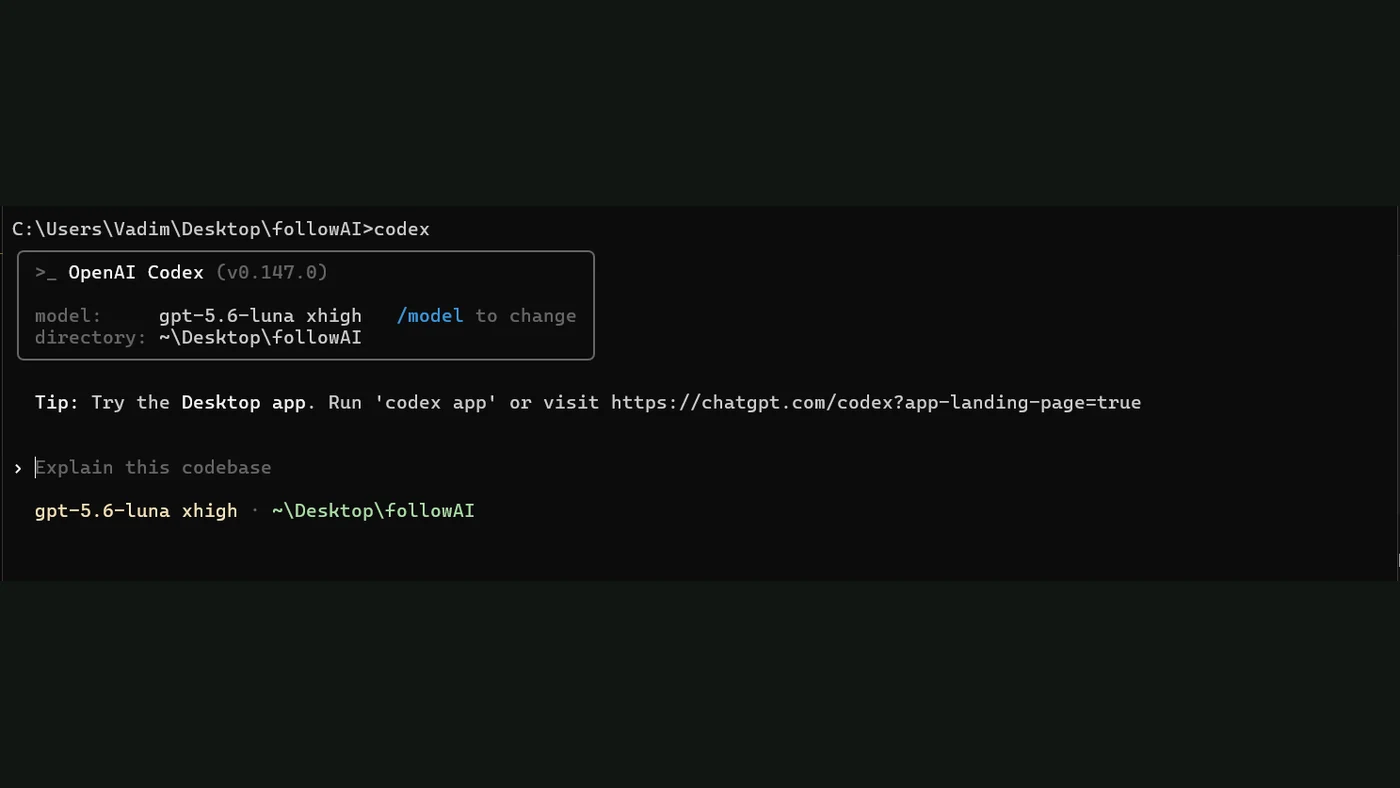
OpenAI Codex CLI running in the FollowAI project

What the screen tells you: the active model, reasoning level, working directory, usage allowance, and a direct task prompt are visible before work starts.

Anthropic Claude Code TERMINAL SESSION
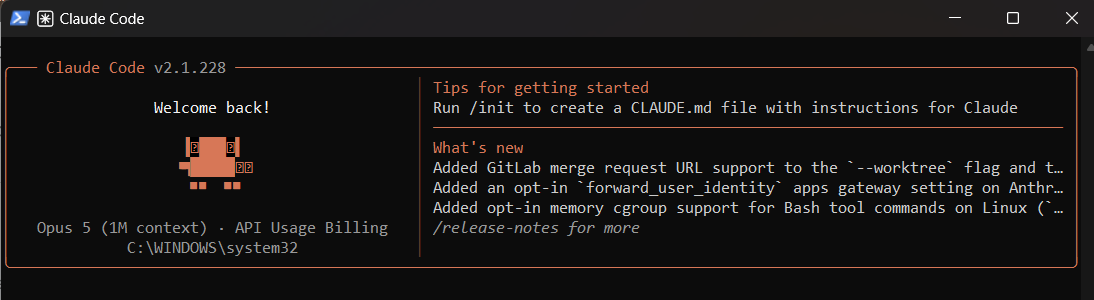
Claude Code terminal interface showing its model and session status

What the screen tells you: the selected model, account or billing mode, current directory, release notes, and the prompt surface share one compact terminal view.

Nous Research Hermes Agent TOOLS + SKILLS
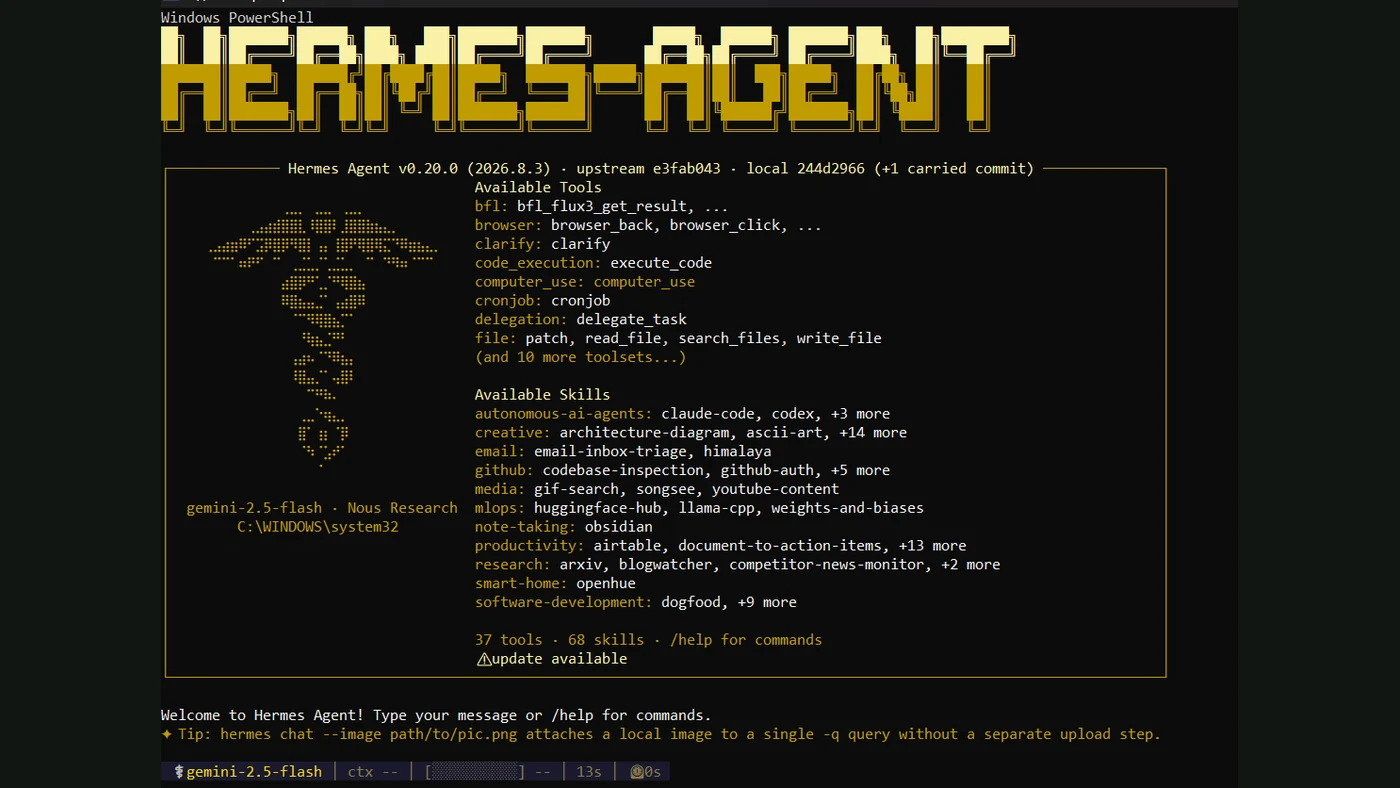
Hermes Agent terminal interface listing available tools and skills

What the screen tells you: Hermes foregrounds the surrounding system—tool catalog, skills, model provider, memory, terminal access, browser features, and messaging integrations.

Screenshots captured by FollowAI on a local Windows workstation on August 17, 2026. Product interfaces and available models can change.

The shortest useful answer

Choose based on the work surface, not the logo:

If you need Start with
A focused coding agent that works directly against a repository Codex
A mature terminal and IDE workflow with granular permission controls Claude Code
An open agent environment spanning terminal, tools, skills, memory, schedules, and messaging Hermes Agent
A production development pipeline with reviews, CI gates, and company-specific rules Any of the three inside a controlled system

None of these choices removes the need for a clean repository, runnable tests, precise instructions, and human review. A powerful agent attached to a broken development process usually produces faster confusion.

What Codex feels like in practice

Codex is designed around delegated work in a real project. OpenAI describes the Codex CLI as a local software agent whose harness manages the loop between the user, the model, and the tools it invokes. In practical terms, you can ask it to inspect a bug, change several files, run checks, explain the diff, and continue after feedback.

The screenshot shows why the interface is approachable:

  • the current project is explicit;
  • the selected model and reasoning level are visible;
  • the prompt starts from a concrete repository rather than a blank chat;
  • the agent can report commands, edits, and verification as the task progresses.

Codex is a good fit when the unit of work is a repository task: implement a feature, trace a regression, migrate an API, review a change, or prepare a tested patch. It is more than autocomplete. The useful loop is inspect → edit → run → verify → explain.

The security question is not whether Codex can run commands—it can. The question is which sandbox, network, and approval policy surrounds that ability. A team should begin with the smallest writable scope and expand it only when the workflow proves reliable.

What Claude Code feels like in practice

Anthropic defines Claude Code as an agentic coding tool that reads a codebase, edits files, runs commands, and integrates with development tools. It is available in terminal, IDE, desktop, and browser environments.

The terminal experience is dense but legible. It keeps the selected model, account state, current folder, release information, and conversation in view. That makes it natural for developers who already live in a shell and want the agent to use the same repository commands they use.

Claude Code is especially clear about permissions. Its documented rule system can allow, ask, or deny tools and paths. Read operations, shell commands, and file modifications can follow different approval behavior. That distinction matters in company use: reading source code is not the same risk as publishing a package, changing infrastructure, or running a deployment command.

It is a strong fit for:

  • multi-file implementation and refactoring;
  • repository exploration and explanation;
  • test, lint, and build loops;
  • scripted or CI-driven tasks;
  • teams that want policy files, hooks, skills, or MCP connections around the coding session.

What Hermes Agent feels like in practice

Hermes Agent is the broadest environment of the three. Nous Research presents it as a self-improving agent that can run across a CLI, desktop interface, messaging channels, schedules, subagents, skills, browser tools, and different model providers.

That breadth is visible immediately in the screenshot. The opening screen lists tools and skills before a task begins. This makes Hermes feel less like a dedicated coding product and more like an agent operating system that can also perform coding work.

Hermes is attractive when you want to shape the surrounding agent runtime:

  • choose or change model providers;
  • add reusable skills;
  • connect messaging channels;
  • run scheduled jobs;
  • delegate work to subagents;
  • combine terminal, web, browser, and file operations.

The tradeoff is configuration responsibility. More surfaces and tools create more policy decisions. You need to decide where memory lives, which tools are enabled, what can leave the machine, how credentials are exposed, and how a failed run is stopped and audited.

Hermes Agent should also not be confused with a guarantee of fully local inference. It can work with multiple providers and deployment patterns. Privacy depends on the model endpoint, tool connections, logging, and configuration you actually choose.

Interface differences that affect real work

Selection matrix Three agents can receive the same task while creating very different operating conditions
CodexRepository executionDirect, task-led software work with visible verification
Claude CodeDeveloper controlStrong terminal workflow with detailed permission configuration
HermesAgent environmentTools, skills, memory, schedules, channels, and provider choice
This is an interface and operating-model comparison, not a claim that one underlying model is universally better.

Context is assembled differently

A coding agent does not literally understand an entire company. It assembles working context from repository files, instructions, search results, command output, tool responses, and prior messages. Good instruction files and searchable documentation reduce wasted exploration, but they do not make every fact permanently available.

Permissions are product behavior

Permission prompts are not an annoyance to remove blindly. They are part of the product. A safe setup distinguishes reading, writing, command execution, network access, secrets, and production actions.

Verification is part of the deliverable

“The code looks correct” is not enough. The useful output includes a diff, test results, build status, known limitations, and a clear record of what was not verified.

Memory can help and mislead

Persistent preferences and project instructions save time, but stale memory can preserve a rule that no longer applies. Important policies should live in version-controlled project files, not only in an agent’s private memory.

What we would use for common scenarios

A founder changing one web product

Start with Codex or Claude Code in the project repository. Keep one small branch per task, require the normal build, and review the diff before deployment.

A software team with established controls

Choose the interface that fits the team, then make the surrounding workflow authoritative: protected branches, required checks, scoped credentials, issue context, review ownership, and production approval.

A personal agent across channels and scheduled jobs

Hermes Agent is worth testing because its design extends beyond a coding session. Begin with read-only or reversible tools before connecting accounts that can publish, purchase, delete, or message other people.

A company that wants “an AI developer”

Do not buy the label first. Define one completed unit of work. For example: “take a validated issue, prepare a patch in an isolated branch, run these checks, and open a draft pull request.” Then decide which interface and model best support that controlled path.

A practical first-week test

Use the same three tasks in every product you evaluate:

  1. Ask the agent to explain one unfamiliar module without editing it.
  2. Give it a small bug with a reproducible failing test.
  3. Ask it to make the change, run the approved checks, and summarize the diff.
  4. Record how many permissions, corrections, and retries were required.
  5. Review whether the final evidence is enough for another person to trust the change.

Compare completion quality, review effort, elapsed time, failure recovery, and policy fit. Token limits or headline model scores alone do not tell you how safely the tool will operate inside your repository.

Bottom line

Codex is the cleanest repository-task experience in this test. Claude Code gives developers a powerful terminal-centered workflow with explicit permission machinery. Hermes Agent exposes the broadest agent environment and the most room for connecting skills, tools, channels, and providers.

The best choice is the one your team can bound, observe, and verify. Start with one real task, keep the permissions narrow, and treat the agent’s test evidence and diff as part of the product—not as optional narration.

Next, read AI Agents vs. Workflows to decide where adaptive planning is genuinely useful, then use the agent access-control guide before connecting write-capable tools.

Primary material

Sources

  1. OpenAI: Unrolling the Codex agent loopPrimary source
  2. Anthropic: Claude Code overviewOfficial documentation
  3. Anthropic: Configure Claude Code permissionsOfficial documentation
  4. Nous Research: Hermes Agent documentationPrimary source